Toolkit
Browser-based mini tools. Image compositing, PDF stamping, watermark removal and 9 more local-first tools — files never leave your machine.
 PROJECT / 2026
A local-first collection of online tools. Image compositing, compression, cropping, conversion, watermarking, PDF stamping, merging and splitting, image-PDF conversion, QR codes… everything runs inside your browser. Files are never uploaded to any server.
Why I built it
Small tasks shouldn't require downloading an app for one feature, and you shouldn't hand your images and documents to a website you don't know. Toolkit's philosophy is local-first: open the page and it works, processing stays in your browser, close the tab when done.
The tools
Images
- Compositor: blend multiple images into one with various effects.
- Compress: keeps original format and dimensions, picks the optimal compression automatically.
- Crop: 1:1, 4:3, 16:9 and other ratio presets.
- Resize: batch processing by percentage, width, height, or exact dimensions.
- Convert: batch PNG / JPG / WebP conversion.
- Watermark: text or image watermarks with adjustable opacity, size and position.
- Watermark removal: brush over the area, AI reconstructs the pixels underneath.
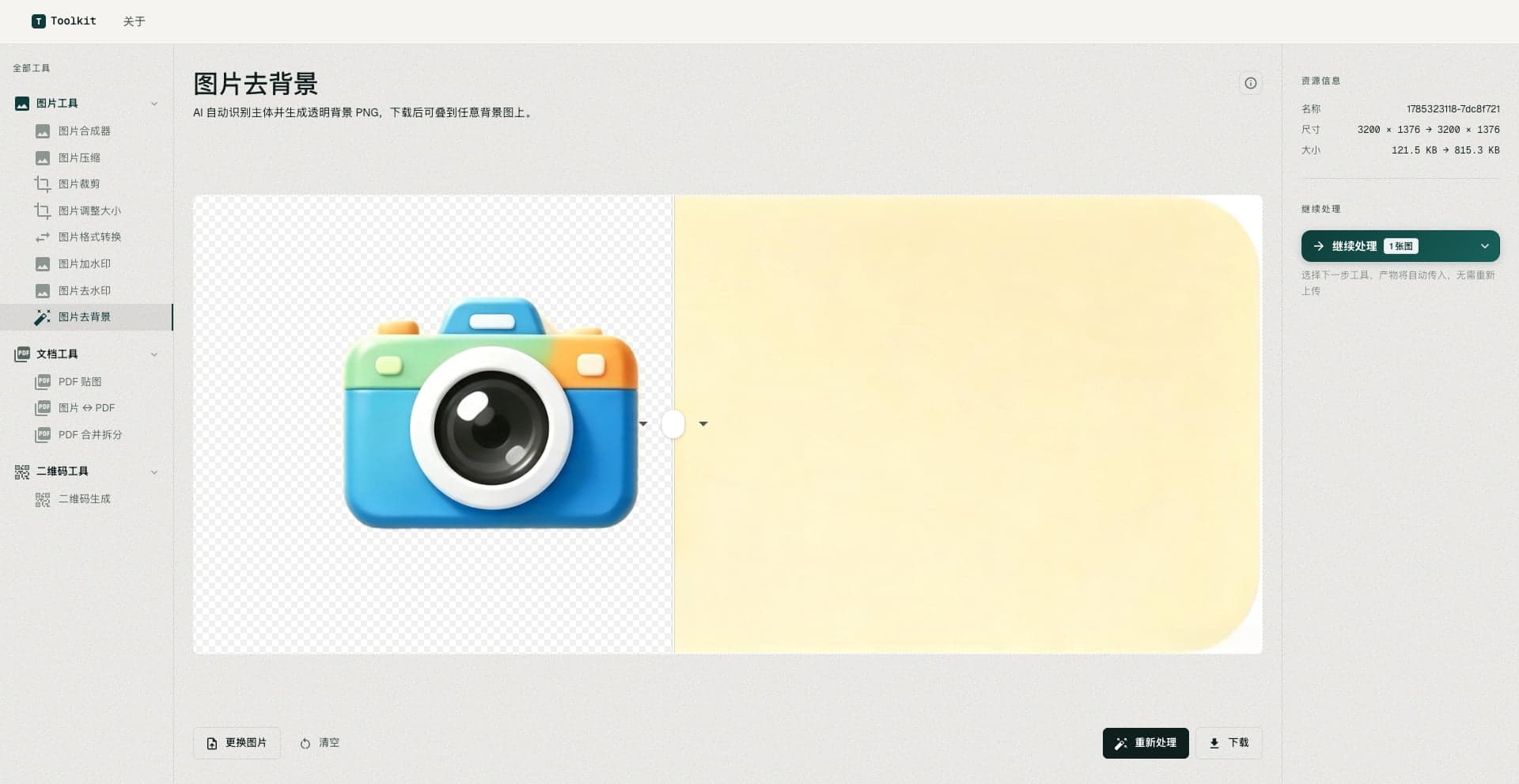
- Background removal: AI detects the subject and produces a transparent PNG.
PDF & documents
- PDF stamping: insert images on any page, position freely, export.
- Merge & split: combine PDFs or split by page ranges.
- Images ↔ PDF: images to PDF, or PDF pages to images.
Misc
- QR generator: text or link to PNG in real time, with error-correction level and size options.
All 12 tools follow one principle: local processing, instant access, no signup.
Try it: toolkit.deerblock.cn